Speedster Showdown Player Tools Hub
Printable binds and a matchup planner for public PvP. Nothing here injects into the Roblox client.
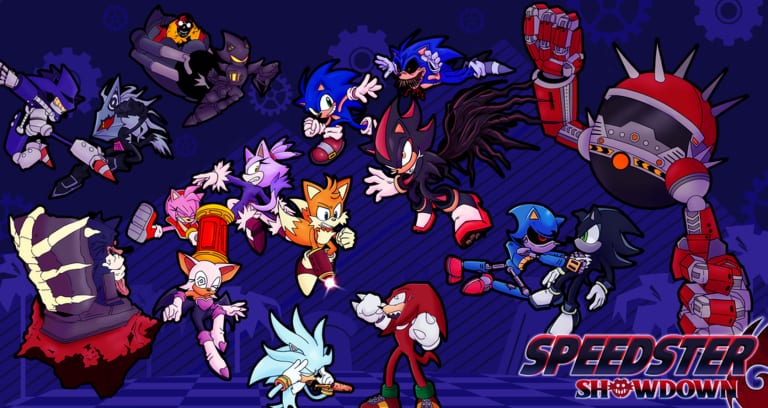
This hub is a pair of wiki tools for Speedster Showdown, the Roblox PvP battlegrounds place that went live on 26 July 2025. The tools are a Controls Cheatsheet you can screenshot before a session and a Matchup Planner you can fill in before you lock a fighter. They are not downloadable programs. They are not auto-parry macros. They are not private-server command lists pretending to be hacks. If a site, a Discord DM, or a YouTube overlay offers an executor, an injector, a speed GUI, or a kill aura for this game, that is the opposite of this hub. Read Scripts Safety and close the installer.
Speedster Showdown already gives you the practice surface you actually need: public 25-player PvP, free private servers, dummies in those servers, and a PS+ command layer if you bought that pass on the original Sonic Showdown or on this reupload. Wiki tools sit on top of that. They help you remember binds and think about matchups. They do not press Q for you.
What belongs on this hub
Two child pages, two jobs.
- Controls Cheatsheet reprints the official Roblox combat binds in table form, then adds the combat verbs the description does not spell out: skill slots, hold charges, recasts, awakening timing, and mobile thumb layout. Use it when you swap from another battlegrounds title and your fingers still want a different dash key.
- Matchup Planner is a thinking sheet, not a living ranked API. It groups the roster into rushdown, setplay, grappler, and zoner, then asks how map size from the rotation pool changes those jobs. Use it when you keep losing to the same silhouette and you cannot name the reason.
When you need long-form teaching instead of a table, leave this hub and open Guides Hub. Controls theory, combo routes, map callouts, and mastery grinds live there. This category exists so you can print the short version.
What this hub is not
Roblox battlegrounds communities collect a lot of junk that calls itself a tool.
- Injectors and executors. They violate Roblox rules, they steal sessions, and they will not make KOTW’s 180-damage confirm more legal. Scripts Safety is the only scripts-adjacent page you should open from here.
- Damage calculators that invent frame data we do not have. If a number is on this wiki, it is labeled as a community report or as an in-game tooltip. The KOTW lobby talk about 180-damage combos is the former.
- Auto-updating overlay HUDs that promise cooldown timers for every enemy. If the studio did not ship it, we will not deep-link a random GitHub as if it were official.
- Roster randomizers that still use the old Sonic Showdown licensed card names. The reupload stripped those quotes. Plan with silhouettes and kits, not with a 2024 spreadsheet.
If you came here because a thumbnail said Speedster Showdown script 2026, you are in the wrong building. The door out is Scripts Safety.
How to use the two tools in a real session
A useful loop is twenty minutes, not a weekend:
- Open Controls Cheatsheet on a second monitor or a phone. Confirm F is still block, Q is still dash, Q+W and right click still boost, left click still punch, and hold space plus left click still uppercut. Those are the binds on the live Roblox description.
- Spend five minutes in a private server doing only those verbs plus skills 1 through 4. If a move has a hold, hold it. If a move has a recast, tap it twice. Shadow’s post-KOTW Chaos Blast is the example: tap 4 is mostly animation, hold 4 is the blast.
- Open Matchup Planner and mark your fighter as rushdown, setplay, grappler, or zoner. Mark the three silhouettes that keep beating you. Circle whether the last map felt large, small, or vertical.
- Queue one public set with a single goal from that sheet, such as never eating Infinite’s homing starter for free, or never letting Silver have the long lane uncontested.
- After the set, write one sentence on the planner. Then stop. The tool is a notepad, not a second career.
That loop is how this hub stays honest. It does not replace Guides Hub. It points at it.
Why a wiki ships tools at all
Speedster Showdown is a reupload of a 2023 battlegrounds game. Returning players forget binds because they spent a year in other titles. New players get the generic character cards from the revival and cannot tell a zoner from a grappler. Title tags such as [KNIGHT + MORE] and [DOOM & BIG ARMS & REVIVAL] dump names into the player list without dumping a tutorial. A cheatsheet and a matchup sheet are the cheapest way to absorb that noise without writing a fake patch number.
They also give this wiki a place to say no. Every battlegrounds wiki gets asked for scripts. The answer lives in Scripts Safety. The useful answer lives in the two child pages on this hub. If you can dash, block, and name the job of the fighter walking at you, you do not need a GUI.
Related pages outside this category
- Guides Hub for full writeups once a table is not enough.
- Scripts Safety for the only acceptable scripts conversation: do not.
- Patch Updates Hub if you are here because a title tag just changed and your old planner is stale.
- Players Hub if you cannot identify the silhouette you just lost to.
Use those links as exits, not as extra widgets. This hub should stay two tools wide. When a third wiki tool earns a page — a printable mastery tracker, a map-size checklist — it will get a child JSON like the two you already have. Until then, do not paste a spreadsheet from another Sonic battlegrounds game into your notes and call it ours.
Print the cheatsheet, fill the planner, and queue. If a download prompt appears anywhere in that sentence, you have left the wiki.
Frequently Asked Questions
Quick answers to the most common questions.
Are these Roblox injectors or script GUIs?
No. This hub is a Controls Cheatsheet and a Matchup Planner. Anything that attaches to the client belongs in Scripts Safety, which tells you not to run it.
Can I use these tools on mobile?
Yes. The cheatsheet has a mobile section, and the planner is just questions. Screenshot both. Do not install a third-party touch overlay that claims to auto-dash.
Do I still need the full guides?
Yes. These pages are short-form. Combo routes, map callouts, and unlock grinds stay on Guides Hub. Use tools to remember, guides to learn.
Will you add a damage calculator?
Only if we have in-game numbers we can cite. Community 180-damage reports from the KOTW era are labeled as reports, not as a calculator output.
Where do private-server commands fit?
They are game features, not wiki injectors. Free private servers and PS+ commands are for dummies and lab work. They are not listed here as hacks, and they do not replace the two tools on this hub.