Speedster Showdown Mobile Controls Guide
Touch HUD, hold-block, dash direction, and kits that forgive thumbs in 25-player PvP.
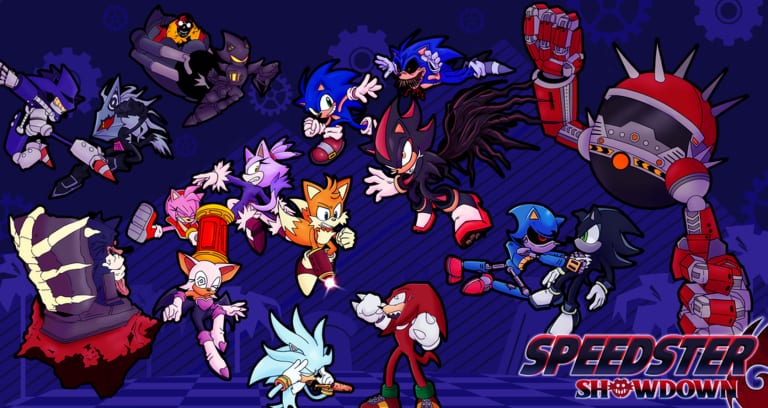
Speedster Showdown is the 26 July 2025 Roblox PvP revival of Sonic Showdown. You fight other players in live lobbies. There is no campaign partner and no PvE instance to hide in. The experience description still prints PC keys: F blocks, Q dashes, Q+W or right click boosts, left click punches, hold Space plus left click uppercuts. Phone players complain those binds are clunky, and they are right. The verbs do not change on touch. The thumbs do. This page is how to play on a phone anyway, without pretending a monitor combo will survive a 6-inch analog.
If you have not joined the place yet, finish Getting Started first. Keep Controls and Movement next to the controls cheatsheet while you move HUD buttons. Come back here when dash and the analog keep eating each other.
Official binds still fight thumbs
Roblox maps F, Q, and click onto on-screen chips. That mapping is the complaint. A keyboard F is a dedicated pinky. A touch block sits beside jump, attack, and four skill slots. A keyboard Q is a clean dash. A touch dash is a round button your left thumb covers while you steer. Left click is a mouse. On phone it is the same attack you fat-finger during a panic dash.
Do not wait for a mobile-only moveset. There is not one. The cheatsheet already says the verbs are identical: punch, dash, block, boost, uppercut, skills, awaken. The miss is analog drift, a covered dash button, a tapped block, or an uppercut that became a hop. Plan around that miss. There is no secret touch bind hiding behind the like button.
If the client lets you move HUD buttons, move them. Larger hit targets beat a pretty default layout. Put dash where the right thumb can press it without covering attack. Put block where a spare finger can hold it, not tap it. If you cannot move them, lower graphics until the analog is readable and accept that you will play a shorter kit than the person on a monitor.
Block is a hold, not a tap
Hold the block button. A tap is a flinch. Keyboard players tap F and walk; phone players do the same thing because the chip looks like a toggle. It is not a toggle. Held guard soaks M1s. Dropped guard eats a full route.
Unblockable starters still ignore a perfect hold — Infinite’s homing confirm is the Knight of the Wind-era example — but most of the public roster still respects the F verb. On a small screen you will not see startup as early as a 27-inch player. Start the hold earlier. Release only when you are ready to take a turn.
If a projectile or a puddle is chipping you, keep holding. Panic-dashing off block is how Tails Doll Cove third parties collect you. Kit parries and counters live on skill slots, not on a tap of universal block. Learn those from the roster after the hold is automatic.
Dash the direction you mean
Dash the way you want to be standing after the animation. Neutral dash in place wastes the i-frames you thought you had. On keyboard that is WASD plus Q. On touch it is analog plus the dash button. If the stick has not recentered, you dash into a grab.
Drill four directions in a quiet lobby before you sit in a sweaty room: forward to start stun, sideways to leave an M1, back to break a chase, and a short dash on Marble because walls exist. Long panic dashes on a phone are camera throws. Short dashes are the whole tech.
Boost / forward attack is the other gap. PC players hit Q+W or right click. Touch players need the separate M2-style button if the UI shows one. Using punch when you needed boost is how you look slow across Baseplate Spire and Green Hill’s waterfall bridge. If the UI does not show a second attack, do not invent a swipe gesture. Confirm the live HUD, then lab what is actually there.
Uppercut is hold-jump plus attack
Hold jump, then punch. That is Space-plus-click on touch. If you tap jump like a platformer, you hop and punch air. If you release jump before the attack registers, you get a grounded M1 and eat the punish.
Lab that hold for ten minutes in a private server or a quiet public room. The combos guide starts most routes from that launch. You will not land Metal’s seven-step community convert if the first uppercut is a hop. When the uppercut whiffs, dash out or keep holding block. Re-uppercutting because the first one missed is a free turn for anyone with a readable screen.
Do not expect PC combo videos to paste 1:1. The compilation on that combos page is a visual index for kits, not a thumb overlay. Three M1s, uppercut, dash stun is the skeleton that survives a phone. Seven-hit Metal routes, Mephiles puddle confirms, and Knight of the Wind damage claims drop when you cannot hit hold-jump plus attack cleanly. Shorten every route. Three punches plus a special beats a PC string you will drop on the fourth input. Wait for evasive to be spent before you dump even that.
Play a kit that forgives thumbs
Larger hurtbox moves beat pixel-perfect lock-on sequences. The beginner tier list exists for this: Sonic, Knuckles, and Amy teach block, dash, and a confirm. Metal Sonic, Infinite, and Knight of the Wind are S-tier kill-potential posters and a trap on a phone. Avoid those three until dash direction is clean.
Knight of the Wind is a full Sonic-line character with community 180-damage reports. It wants Sonic’s dash already honest. Yours is not. Infinite is a homing unblockable starter with no awakening; eating that starter as the defender teaches more than maining the jackal on a drifting analog. Metal Sonic’s Lock-On, Observation copy, and Metallic Rush punish mashed buttons. Observation on cooldown is a death sentence when you cannot even find dash.
Starved’s loop reputation is the same warning with extra camera panic. Mecha Sonic is Early Access and still has no awakening. Do not spend Robux hoping a WIP kit fixes the touch UI. It will not. See gamepasses after you can already hold block. Stay on Sonic until a missed dash makes you laugh instead of mash. Knuckles is the floor confirm if hedgehog timing feels hostile. Amy is the delayed hammer if you swing too early. That is the whole first week.
Twenty-five players on a small screen
Public servers still cap around 25. That is chaotic on a monitor. On a phone it is a nameplate storm. You will not track Tails Doll Cove portals, a second fighter on the opposite Green Hill slope, and your own analog at the same time.
Server-hop until the room looks less like a highlight reel. Warm up where people are worse than you. Private servers and PS+ dummies are for labbing the hold-jump uppercut, not for hiding from PvP forever. The mode is online player-versus-player. Lower graphics. Play on Wi-Fi. Cellular hitch turns a blockable string into a true combo on your screen only. If you own a Bluetooth keyboard, the PC table on the cheatsheet applies — confirm the client actually accepts the keys before you treat a tablet like a laptop.
Practice on maps with less verticality
Vote geometry that does not ask your thumbs for a double jump they will miss. Full vote notes live on Maps and Rotations.
Green Hill Zone is still the classroom: hills, waterfall bridge, wooden spawn. High ground matters, but the slopes are readable. Uppercut toward grass, not water. Marble Zone is large and cramped, which is useful: walls steal long dashes, so your short-dash habit gets paid. Interior lines also hide nameplates, which is honest phone practice without Cove’s portals.
Skip HILL until you can aim an uppercut landing. It is the vertical cousin of Green Hill and it drops people. Skip Baseplate Spire until boost is a button you can find; long sightlines punish a missed M2. Skip Tails Doll Cove until you can track a second fighter without looking at your thumbs. Portals plus a 25-player collapse is how phone sessions end. Starved Lair is exclusive and not a beginner vote. Easter Hill is WIP. Speedster Zone is unavailable. Stardust Speedway is gone.
Vote the current map to delay a swap if Green Hill or Marble is already up. Sitting through Cove because the thumbnail looked cool is how you spend 30 minutes practicing camera nausea.
Close the second screen
Screenshot the official combat rows on the cheatsheet, then put the other device away. A bus ride is a HUD-and-holds session, not a Knight of the Wind unlock grind and not an Early Access shopping trip. The 26 July 2025 revival did not ship a touch-first fighter. It shipped the same F, Q, and click language onto Roblox’s analog and dropped you into 25-player PvP. Win the language on Green Hill with Sonic. Then argue with monitor players about true strings. Until the analog recenters when you tell it to, every clip that looks impossible was filmed with a mouse. Hold block, dash the direction you meant, and leave Metal, Infinite, and Knight of the Wind for a week when your thumbs are bored.
Frequently Asked Questions
Quick answers to the most common questions.
Are Speedster Showdown mobile controls different from PC?
No. Same verbs: punch, dash, block, boost, uppercut, skills, awaken. Official binds are still F, Q, and click mapped onto Roblox touch buttons. Precision is worse, not the moveset.
Why do phone players say the controls are clunky?
F, Q, and click were written for a keyboard and mouse. On a phone, dash hides under the analog, block looks like a tap, and hold-jump plus attack becomes a hop. Move HUD buttons if the client allows.
How do I uppercut on touch?
Hold jump, then press attack. That is Space plus left click. A tap jump is a hop. Lab it before you copy routes from the combos guide.
Which characters should I play on mobile first?
Sonic, Knuckles, or Amy. Avoid Knight of the Wind, Infinite, and Metal Sonic until dash direction is clean. See the beginner tier list.
Which maps should phone players practice on?
Green Hill Zone and Marble Zone: less vertical panic than HILL, no Cove portals. Vote notes are on Maps and Rotations.